
Home/Industries/Law Firms
Invoicing software for law firms and independent advocates
Bill by the matter, recover your disbursements, and control exactly which staff can see which clients. Built for Indian practices that need clean records and tight confidentiality.
How it works
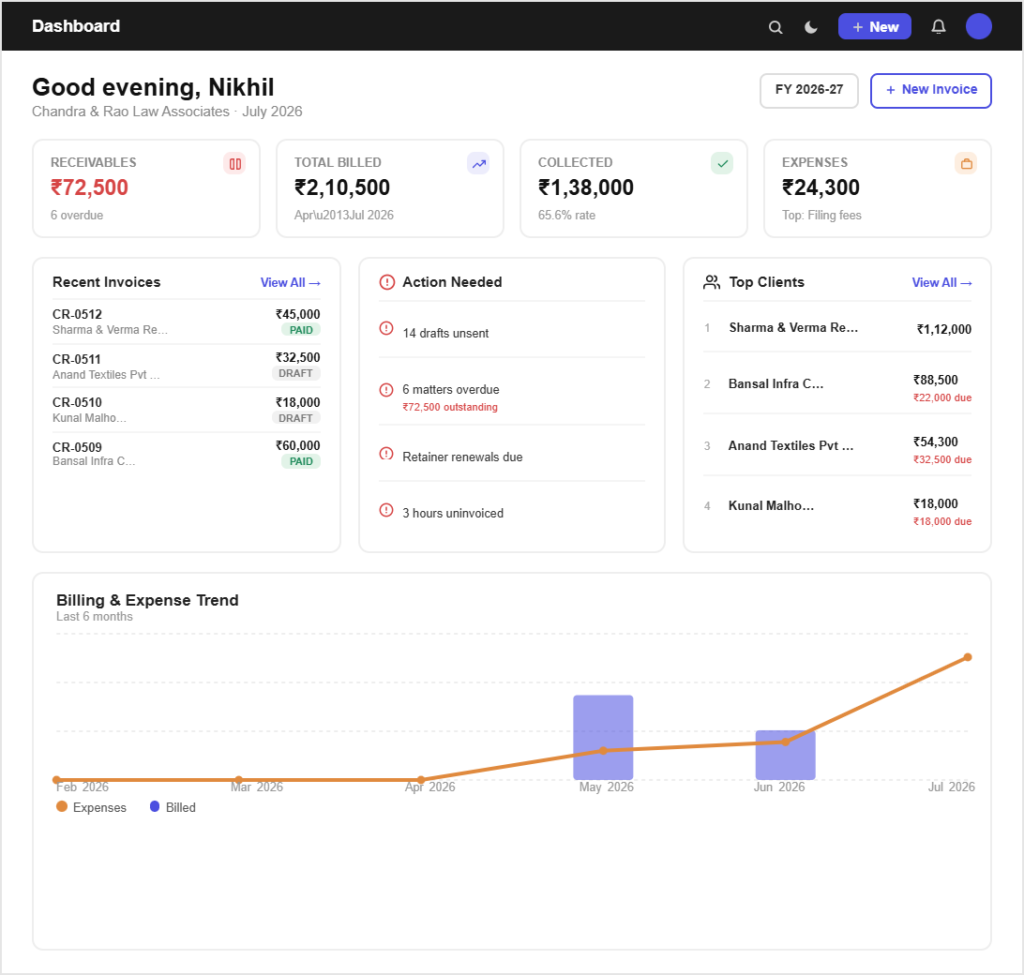
Bill a matter in three simple steps
Set your fee structure once and billing becomes routine.
Step 01
Set up the client
Create the client once with their GSTIN and address, and give the matter a clear reference you will still recognise in two years.
Step 02
Bill the matter
Bill a fixed fee, or enter hours or appearances as a quantity against your saved rate. Reference the matter on every invoice.
Step 03
Recover the costs
Log court fees, filing charges and travel against the client, mark them billable, and they appear on the next invoice with proof attached.
Built for the work
Built for how legal work is billed
Fees the way your practice charges
Fixed fee or per unitSave consultation, appearance, drafting and retainer rates as items, and bill either a set fee or a quantity against a rate, whichever the engagement uses.
The matter stays on the invoiceReference the matter on every document so a client with several ongoing files can see exactly what each bill relates to.
Disbursements recovered in full
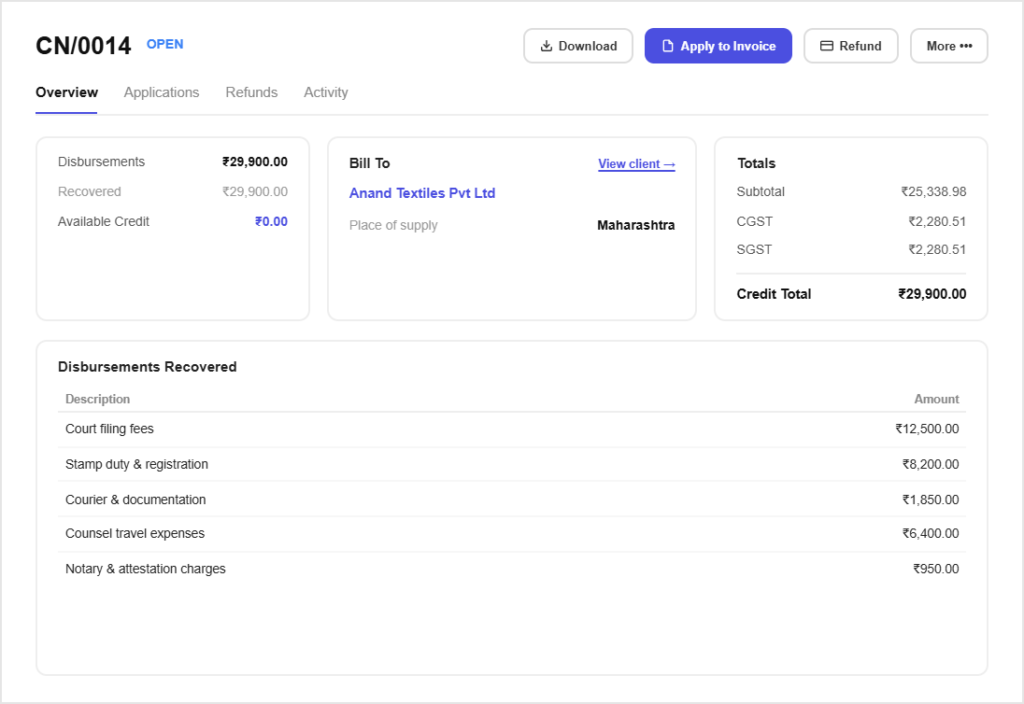
Nothing paid out gets forgottenCourt fees, stamp duty, filing charges and travel are logged against the client the day they happen, not reconstructed at month end.
Proof attached to every costThe receipt stays with the disbursement, which matters when a corporate client’s accounts team asks for evidence before reimbursing.
Confidentiality you can enforce
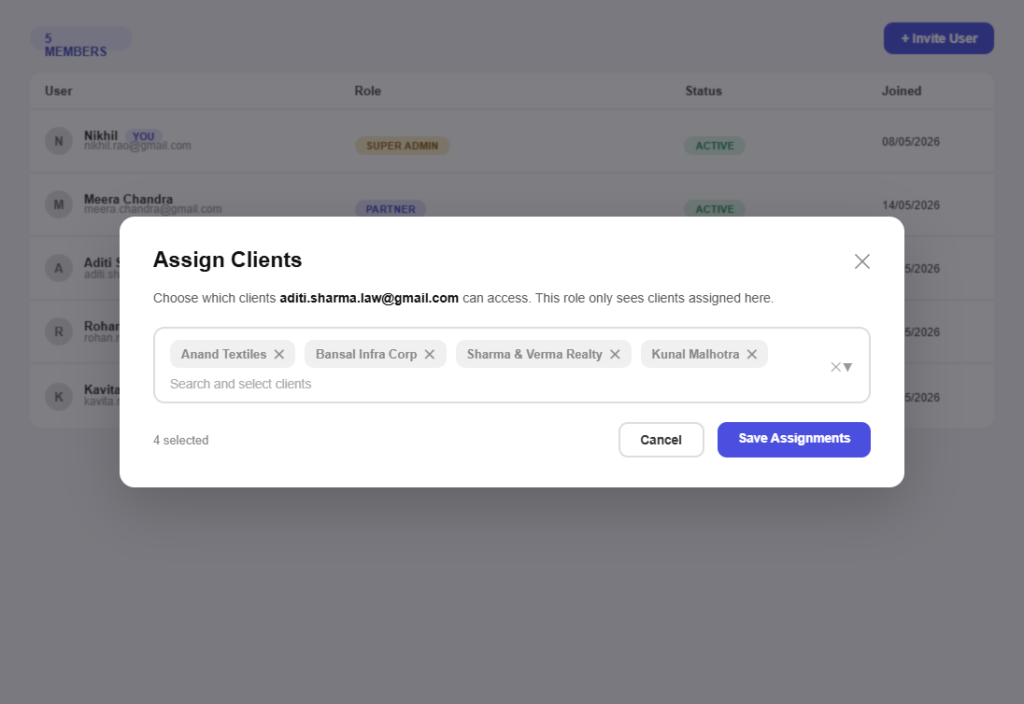
Staff see only their clientsRestrict a team member to the matters assigned to them, so client information is not visible across the whole practice by default.
Permissions per taskLet a junior raise invoices without letting them delete one, and keep invoice numbering and organisation settings under partner control.
Advances held against the account
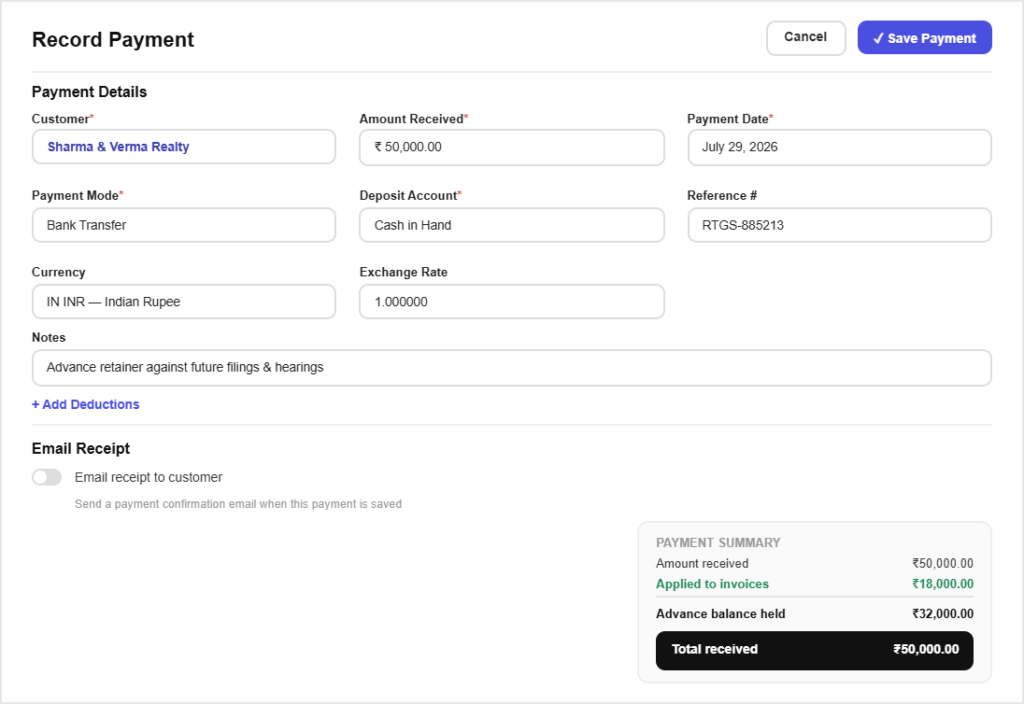
Advances recorded properlyTake money on account, record it against the client, and apply it to invoices as work is billed, with the remaining balance always visible.
Credit notes when fees are adjustedWhere a bill is reduced after discussion, issue a GST-correct credit note rather than editing an invoice that has already been sent.
All in one place
One platform that goes beyond invoicing
Invoicing is the start. Pinvoice covers the rest of the practice admin.
Quotes & estimates
Send quotes and convert approved ones into invoices in one click.
Credit notes
Issue GST-safe credit notes for refunds and adjustments.
Expense tracking
Record business expenses and rebill them to clients.
Items & pricing
Save products with rates, HSN/SAC codes and GST slabs.
Contacts
Keep customer GSTINs, history and balances in one place.
Users & roles
Invite your team and accountant with the right permissions.
Payments
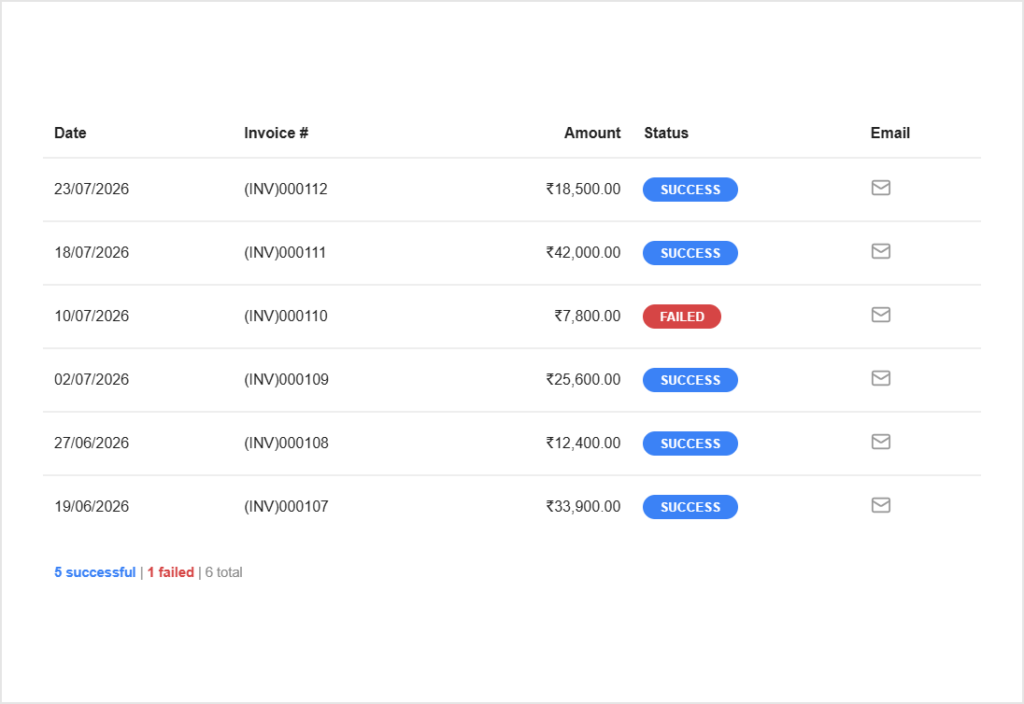
Record UPI, bank transfer, cheque or cash against an invoice and watch the outstanding balance update straight away.
For every kind of business
Invoicing for other kinds of business
However you earn, there is a version of this that fits.
Stop writing off work you forgot to bill
Pinvoice keeps fees, disbursements and client confidentiality in order. Free, forever.
Free foreverNo credit cardCancel anytime
FAQ
Legal billing questions, answered
Does Pinvoice track billable hours for legal work?
No. There is no timer or timesheet module. If you bill hourly, record your hours the way you do now and enter the total as a quantity against your saved hourly rate. Pinvoice handles the billing and collection side, not time capture.
How do I recover disbursements from a client?
Record each cost as an expense, tag it to the client and mark it billable. It is then offered on their next invoice, at cost, with the receipt attached so the charge can be evidenced if queried.
Can I stop staff seeing every client?
Yes. Assign a team member the staff role limited to their own clients, and they only see the matters given to them. Given the confidentiality expected in legal work, this is worth setting up before anyone is invited.
Can I take money on account?
Yes. Record the advance against the client and apply it as invoices are raised. The client record shows what was received, what has been billed against it and what remains.
Does Pinvoice handle client trust or escrow accounting?
No. Pinvoice records what you invoice, what you are paid and what you spend. It is not an accounting or trust ledger system, so if your practice has client-money obligations, keep using whatever your accountant has set up for that.
Is it free for a small practice?
Yes. Unlimited clients, invoices and users at no cost, with no per-seat fee and no credit card needed to start.