
Home/Industries/Graphic Designers
Invoicing software for graphic designers and studios
Quote per deliverable, take a deposit before you open the file, and bill milestones as they land. Scope changes go on the invoice instead of quietly eating your margin.
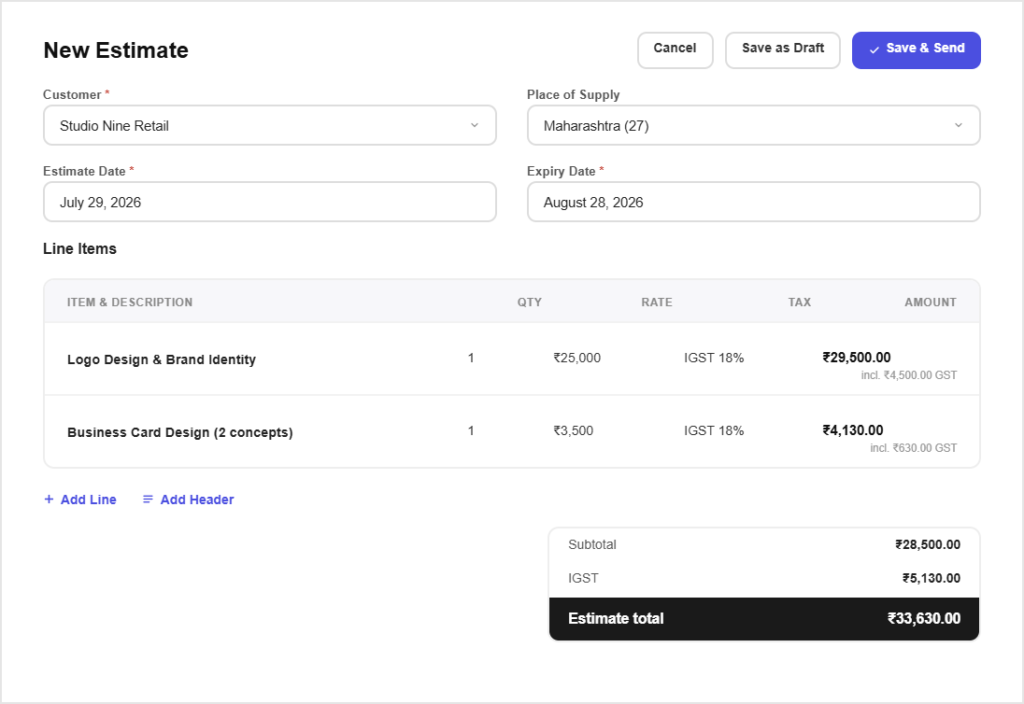
How it works
Quote and bill a project in three steps
Send a quote today and take the deposit before you start.
Step 01
Quote the deliverables
Build a quote line by line, logo, brand guide, social kit, each with its own price, so the client sees what they are paying for.
Step 02
Take the deposit
Invoice a deposit and record it when it arrives. Work starts once the money and the scope are both agreed.
Step 03
Bill each milestone
Invoice each milestone as it is delivered, with the balance always visible on the client record.
Built for the work
Built for how design work gets paid
Priced by deliverable, not by guess
A saved list of what you sellKeep your standard deliverables and rates as items so quoting a new enquiry is assembling lines, not inventing prices again.
Terms on the quote itselfState what is included, how many revisions, and what happens beyond that, on the document rather than in an email nobody reopens.
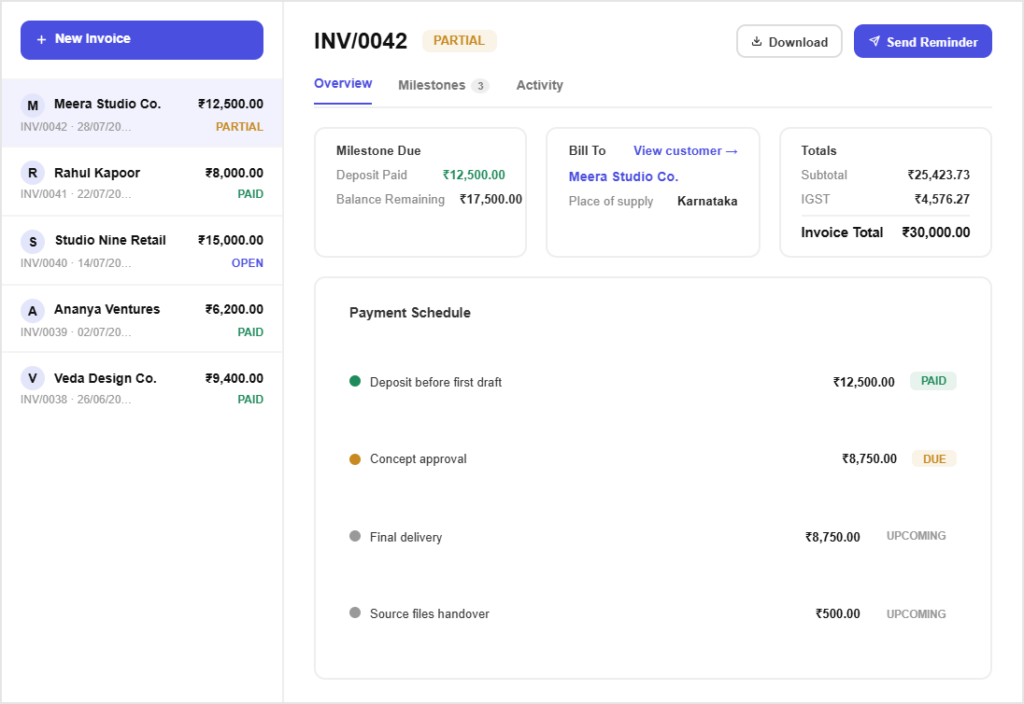
Deposits before the first draft
Advance before the first draftInvoice a deposit and record the payment, so the project starts with something committed on both sides.
Approved online, in writingClients accept the quote from a link, and the version they accepted is what you point to when the brief grows.
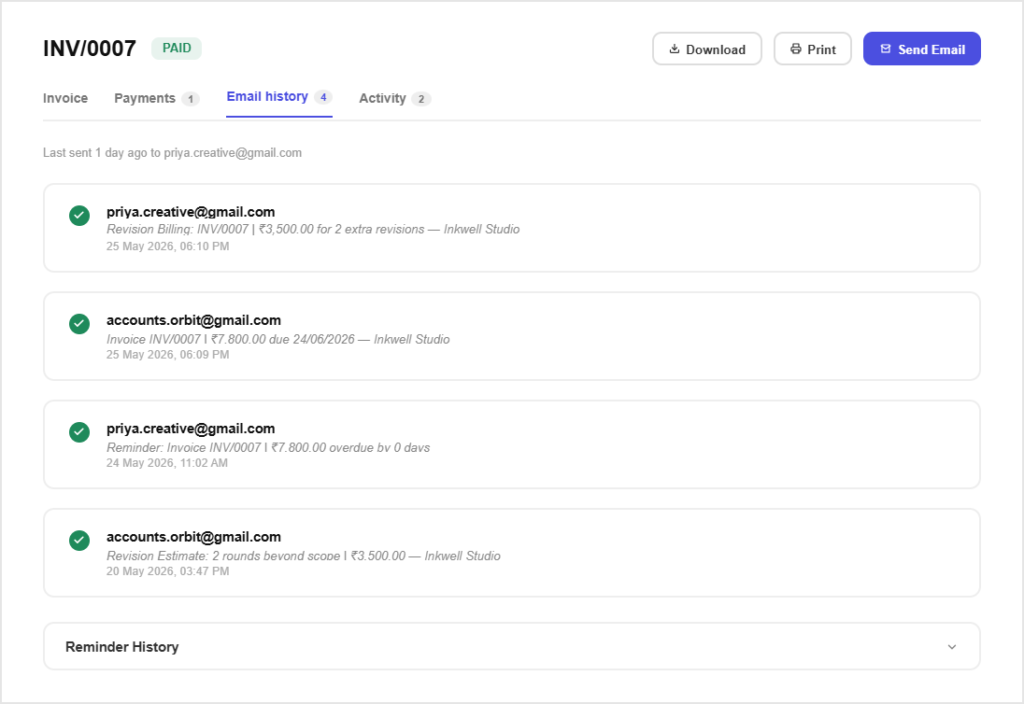
Scope changes that get billed
Extra rounds go on the invoiceWhen revisions exceed what was quoted, add a line for them rather than absorbing the work and resenting it.
Re-quote without losing the originalSend a revised quote when scope changes, with the earlier version still on file so both sides can see what moved.
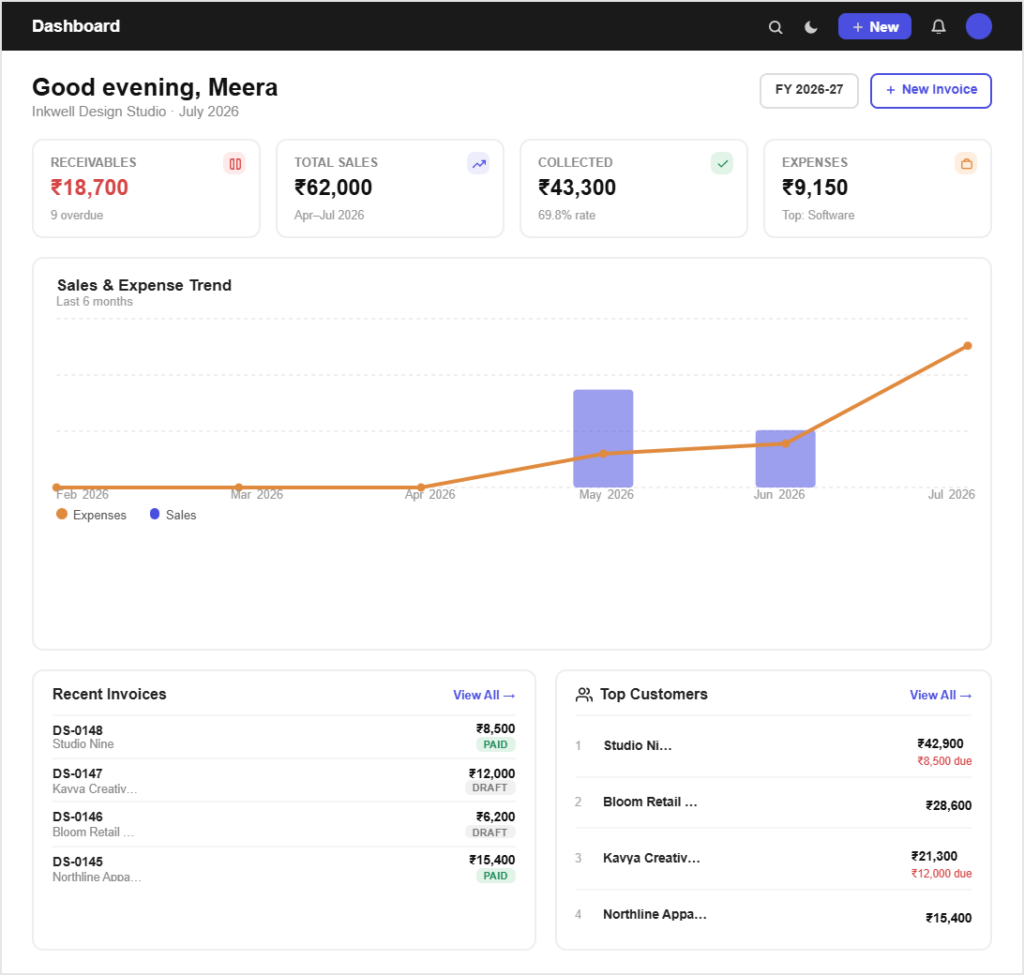
Every project on one client record
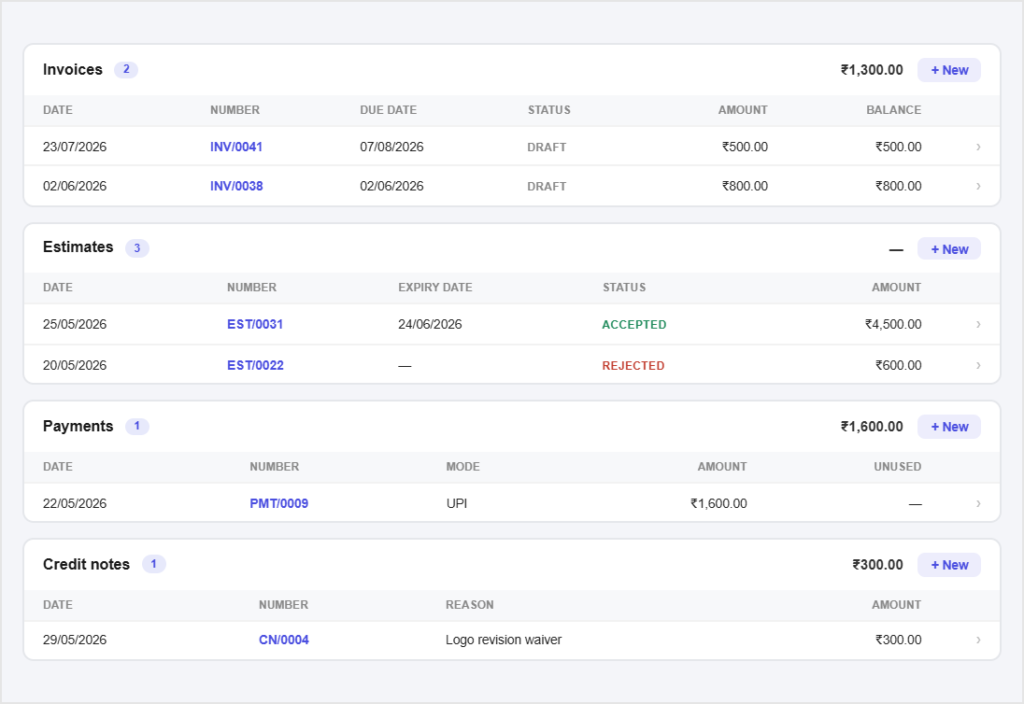
One history per clientQuotes, invoices, payments and credit notes for a client sit together, which matters for retainer clients you bill for years.
Rebill licences and stockFonts, stock images and plugins bought for a project go on the invoice with the receipt attached, instead of coming out of your fee.
All in one place
One platform that goes beyond invoicing
Invoicing is the start. Pinvoice covers the rest of the studio admin.
Quotes & estimates
Send quotes and convert approved ones into invoices in one click.
Credit notes
Issue GST-safe credit notes for refunds and adjustments.
Expense tracking
Record business expenses and rebill them to clients.
Items & pricing
Save products with rates, HSN/SAC codes and GST slabs.
Contacts
Keep customer GSTINs, history and balances in one place.
Users & roles
Invite your team and accountant with the right permissions.
Payments
Record UPI, bank transfer, cheque or cash against an invoice and watch the outstanding balance update straight away.
For every kind of business
Invoicing for other kinds of business
However you earn, there is a version of this that fits.
Get paid for the revisions too
Pinvoice makes the money side as clear as the brief. Free, forever.
Free foreverNo credit cardCancel anytime
FAQ
Designer invoicing questions, answered
How do I charge for extra revisions?
Add a line to the invoice for the additional rounds, priced from a saved item so it is consistent. Stating the included number of revisions on the original quote is what makes that conversation easy rather than awkward.
Should I take a deposit before starting?
It is normal in design and it protects both sides. Invoice the deposit, record the payment, and start once it clears. The remaining balance stays visible on the client record throughout the project.
Can I bill milestones instead of one final invoice?
Yes. Raise an invoice for each deliverable as it is completed. All of them sit against the same client, so the project total and what is still outstanding are always clear.
Does Pinvoice manage projects or track design time?
No. There is no project module, timer or timesheet. Pinvoice handles the quoting, invoicing and payment side. Keep using whatever you already use to manage the work itself.
What GST applies to design services?
Design is a service, so it carries a SAC code rather than an HSN code. Save the right code and slab against your deliverables once and every quote and invoice carries them correctly.
Is it free for a small studio?
Yes. Unlimited quotes, invoices and clients at no cost, with no per-document fee and no credit card needed.