
Home/Industries/Plumbing & Trades
Invoicing software for plumbers and trade businesses
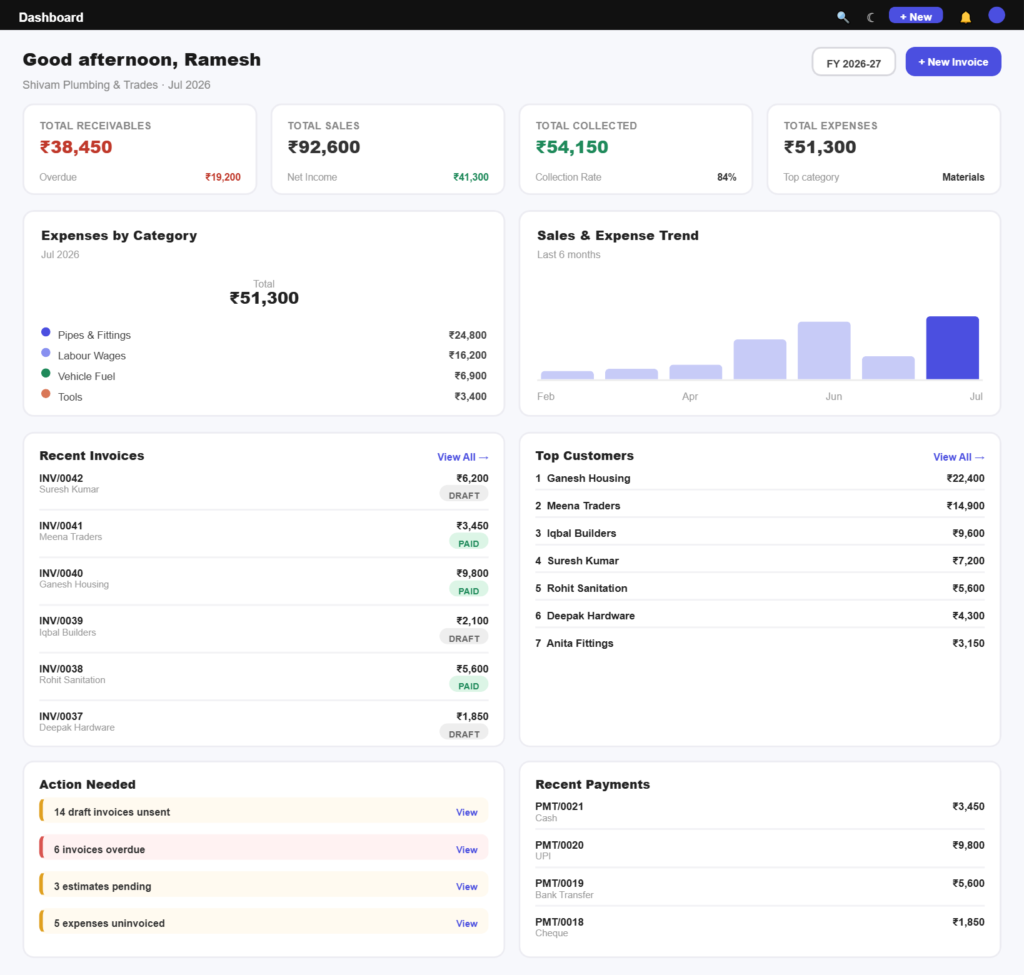
Quote at the door, invoice from the van, and record the payment before you drive away. Parts and labour priced from a saved list, with GST applied correctly on every job.
How it works
Quote and get paid in three steps
Quote a job on site and invoice it the same visit.
Step 01
Quote on site
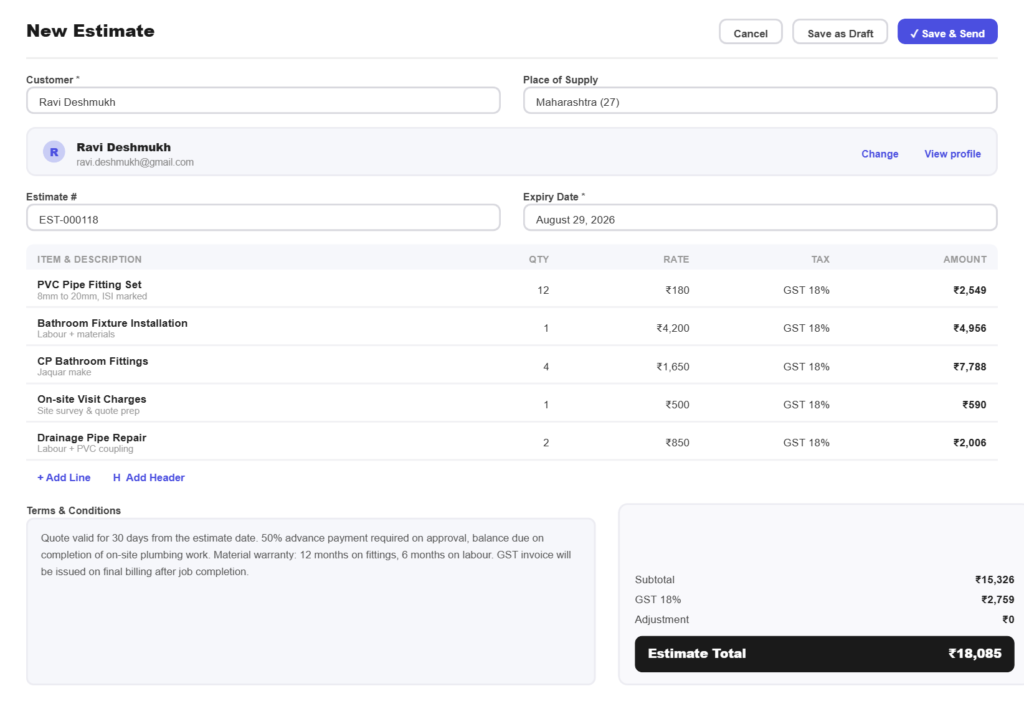
Build a quote from your saved parts and labour rates while you are still at the property, and send it before you leave.
Step 02
Invoice the job
Turn the approved quote into an invoice in one tap, with every line and the tax already correct.
Step 03
Take the payment
Record how the customer paid, whether that is UPI, cash or transfer, and issue a receipt on the spot.
Built for the work
Built for how trade work gets billed
Prices you do not have to remember
A saved price listKeep common parts and your hourly or callout rate as items with HSN and SAC codes, so a quote is picking lines rather than doing sums on a pad.
Consistent across jobsThe same tap costs the same on Tuesday as it did on Monday, which is what stops you underquoting when you are busy.
Parts and labour, itemised
Customers see what they paid forSeparating parts from labour on the invoice cuts arguments, because the customer can see where the money went.
Materials marked up properlyRecord what a part cost you alongside what you charge, so the margin on materials is a number rather than a guess.
Cash and UPI recorded properly
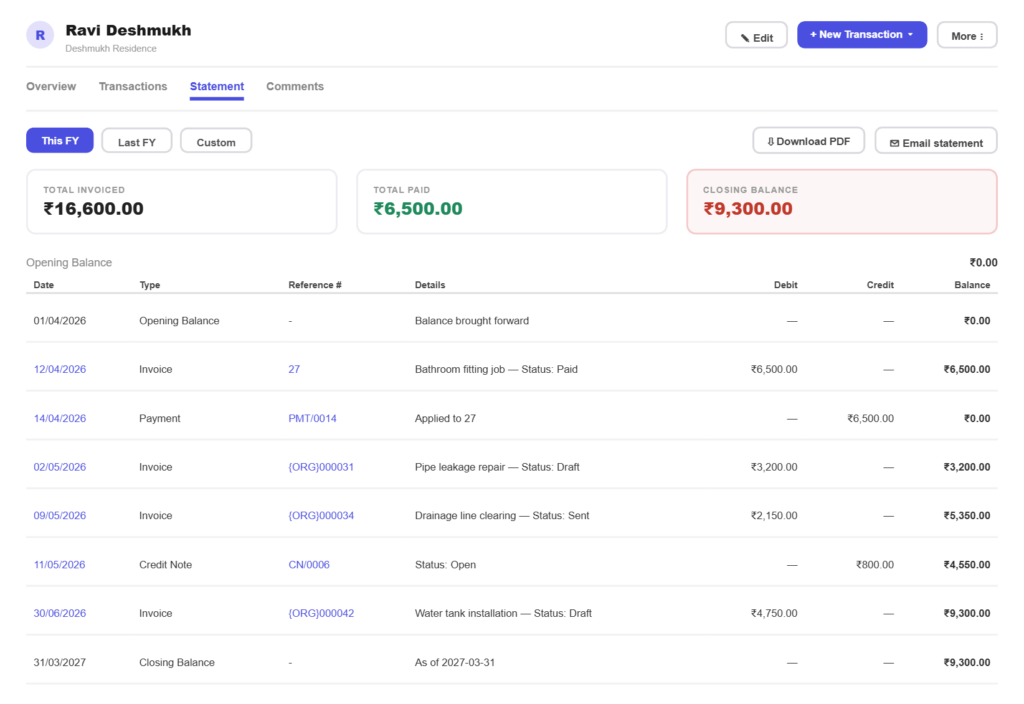
Cash is not a black holeRecord cash payments against the invoice the same as any other method, so your books match the day’s work.
Receipt handed over there and thenGenerate a receipt immediately, which is what most domestic customers want and few trades bother to provide.
What you buy, on record
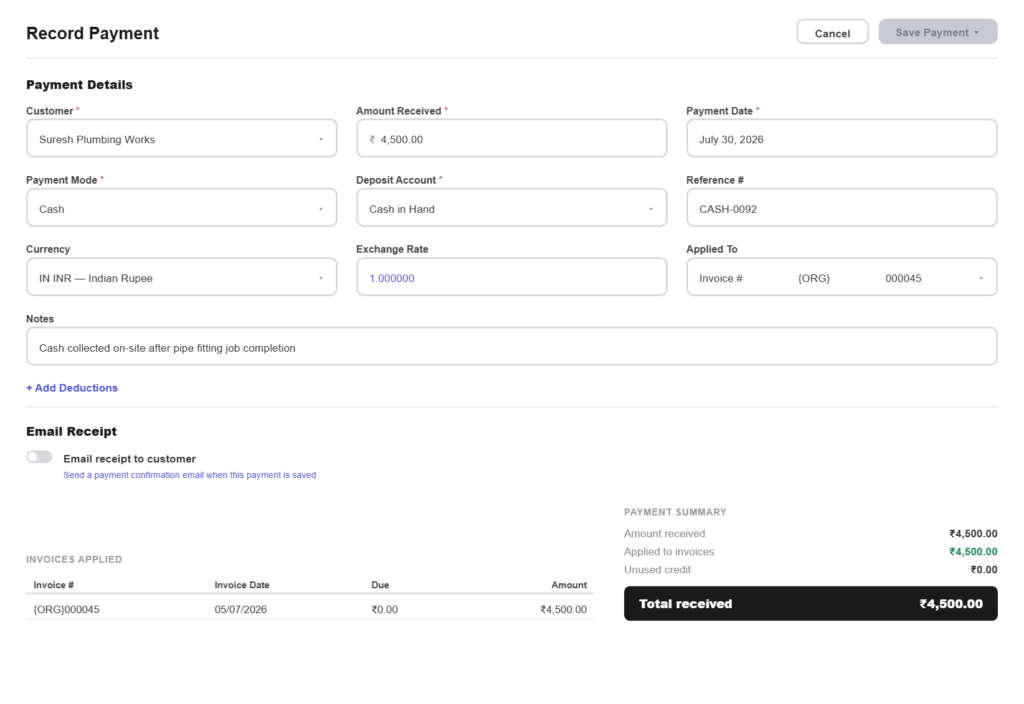
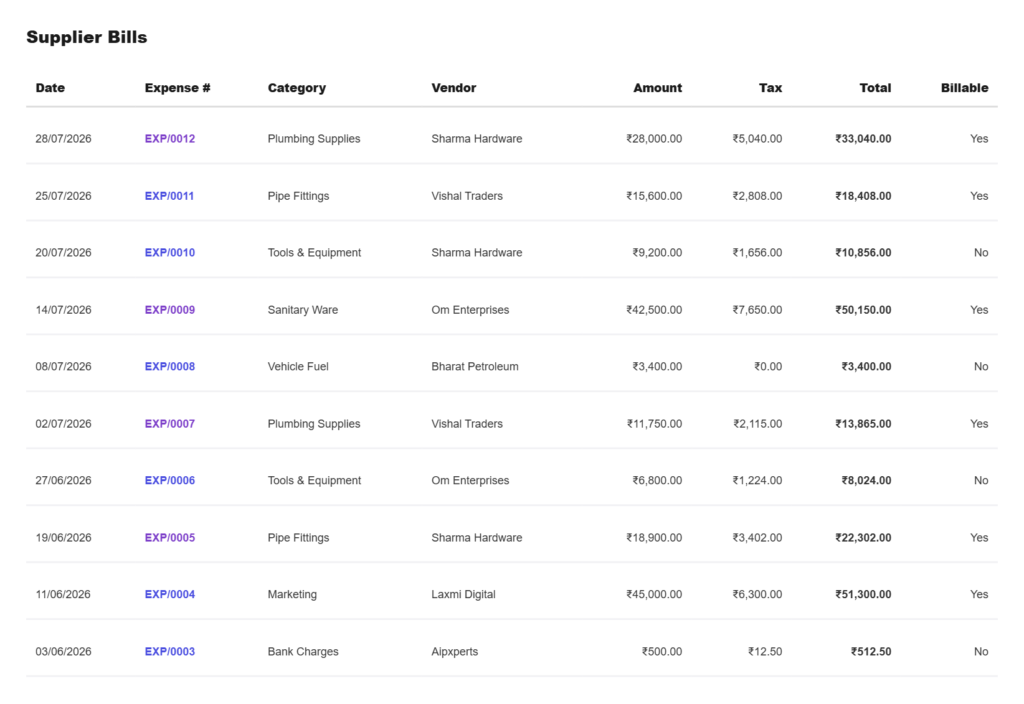
Supplier bills recordedLog what the merchant invoiced you, with the tax you paid, so you know what you owe as well as what you are owed.
Stock, if you carry itTrack quantities on the parts you keep in the van, with a low stock warning before you run out mid-job.
All in one place
One platform that goes beyond invoicing
Invoicing is the start. Pinvoice covers the buying side too.
Quotes & estimates
Send quotes and convert approved ones into invoices in one click.
Credit notes
Issue GST-safe credit notes for refunds and adjustments.
Expense tracking
Record business expenses and rebill them to clients.
Items & pricing
Save products with rates, HSN/SAC codes and GST slabs.
Contacts
Keep customer GSTINs, history and balances in one place.
Users & roles
Invite your team and accountant with the right permissions.
Payments
Record UPI, bank transfer, cheque or cash against an invoice and watch the outstanding balance update straight away.
For every kind of business
Invoicing for other kinds of business
However you earn, there is a version of this that fits.
Get paid before you leave the job
Pinvoice turns paperwork into a two-minute job. Free, forever.
Free foreverNo credit cardCancel anytime
FAQ
Trade invoicing questions, answered
Can I quote and invoice from my phone on site?
Yes. Pinvoice works in a mobile browser and through the apps, so you can build a quote at the property, convert it to an invoice once approved, and record the payment before you drive off.
How do I handle cash payments?
Record the payment against the invoice and select cash as the method. The invoice is marked paid and a receipt can be issued immediately, so the job closes properly rather than being reconciled from memory later.
Can I charge different rates for callouts and hourly work?
Yes. Save each as its own item with its rate and SAC code, then add whichever applies. Emergency and out-of-hours rates work the same way.
Do I need to show HSN codes for parts?
If you are GST-registered, goods carry HSN codes and services carry SAC codes, and both are needed for a clean GSTR-1. Save them against your parts and labour once and every invoice carries them.
Can I track parts I carry in the van?
Yes, if you want to. Inventory tracking is optional per item, so you can track quantities on the parts worth tracking and ignore it for everything else, with a low stock warning at your reorder level.
Is it free for a one-van business?
Yes. Unlimited quotes, invoices, customers and expenses at no cost, with no per-job or per-user fee.