
Home/Industries/Freelancers
Invoicing software for freelancers who would rather be working
Raise a GST invoice in a minute, send it by email, and know exactly who has not paid without keeping a spreadsheet. Free forever, whether or not you are GST-registered.
How it works
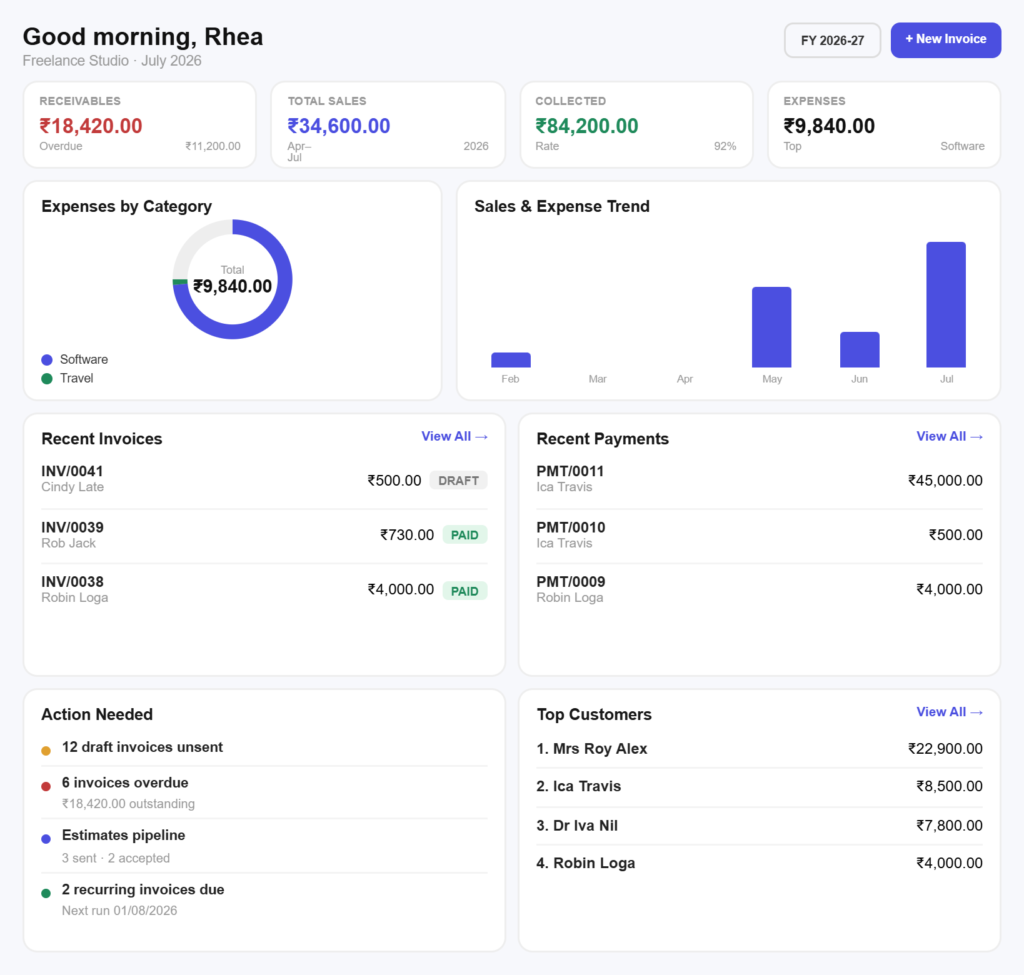
Bill a client in three simple steps
No accountant needed to send your first invoice.
Step 01
Save the client
Store the client once with their GSTIN and address. Their state decides the tax treatment, so you never have to think about it again.
Step 02
Add what you did
Pull in your saved services with their rates and SAC codes, or type a line. For day and hourly work, enter the number of days or hours as the quantity.
Step 03
Send and track
Send the invoice as a PDF by email or WhatsApp, then record the payment when it lands so your outstanding figure stays honest.
Built for the work
Built for how freelancers actually get paid
Registered or not, you are covered
Below the threshold? Still fineSend plain non-GST invoices while you are under the registration limit, and switch tax on later without changing how you work.
GST-ready when you registerSave your services with the right SAC codes and slabs once, and every invoice from then on carries them correctly.
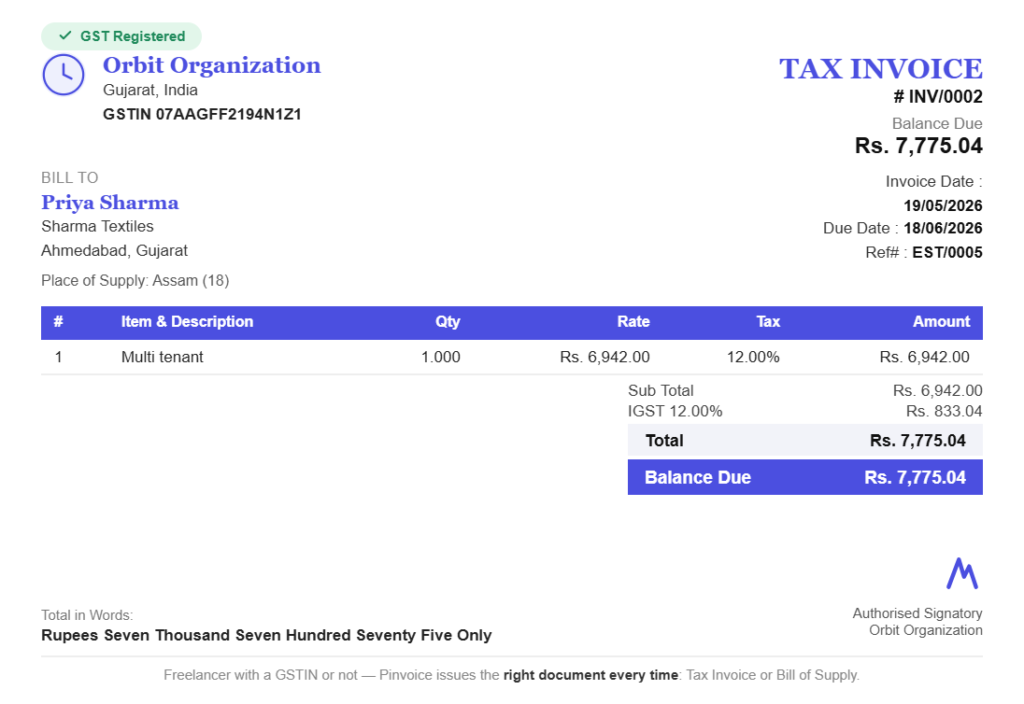
Know who owes you without a spreadsheet
One list of who has not paidSee every unpaid invoice and how overdue it is, instead of scrolling your sent folder trying to remember.
Follow up with the factsChase with the invoice number, date and amount in front of you, which tends to end the conversation quickly.
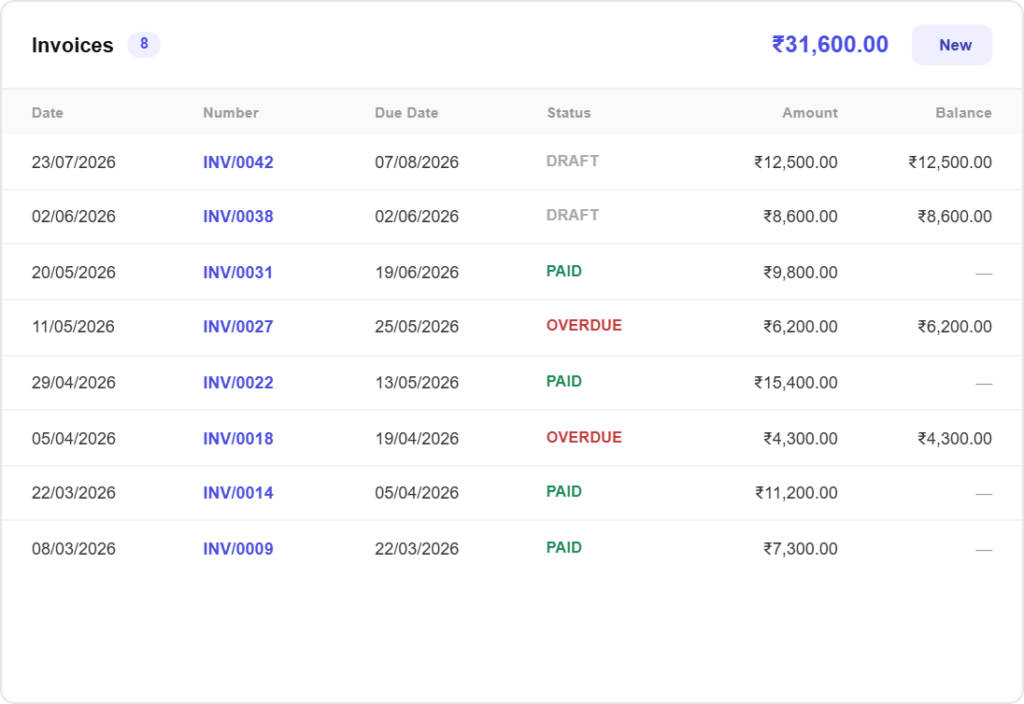
Charge back what the job cost you
Rebill client costsLog the stock photo, the domain, the travel, mark it billable, and it is offered on that client’s next invoice instead of quietly coming out of your fee.
Keep the receipt attachedPhotograph the bill and it stays with the expense, so a query months later is answered in seconds.
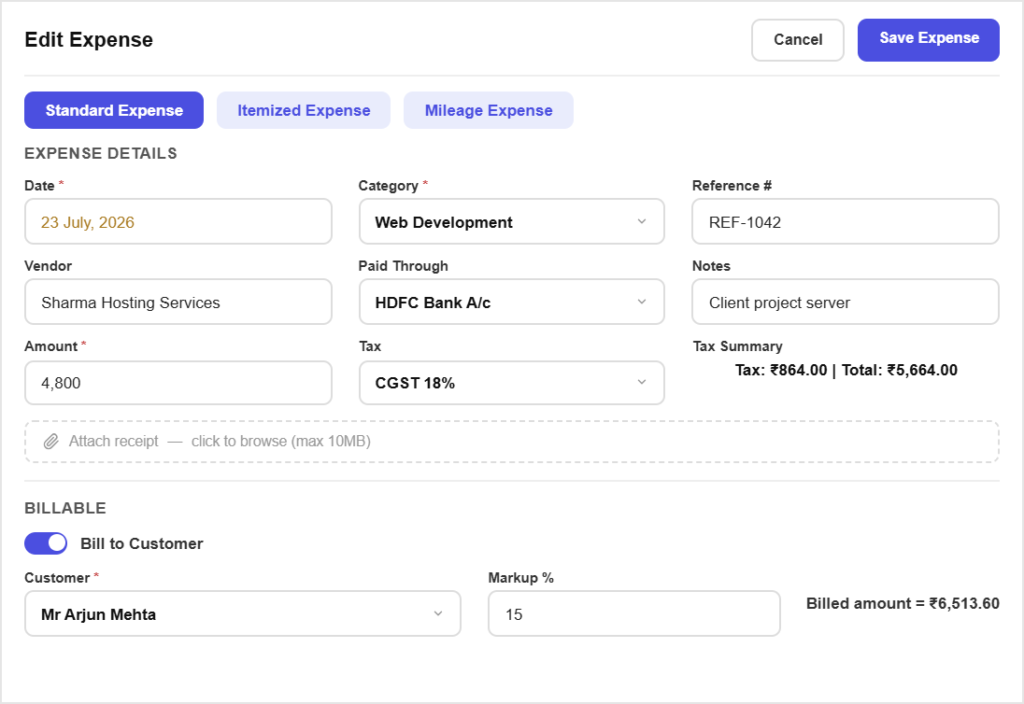
Retainers that bill themselves
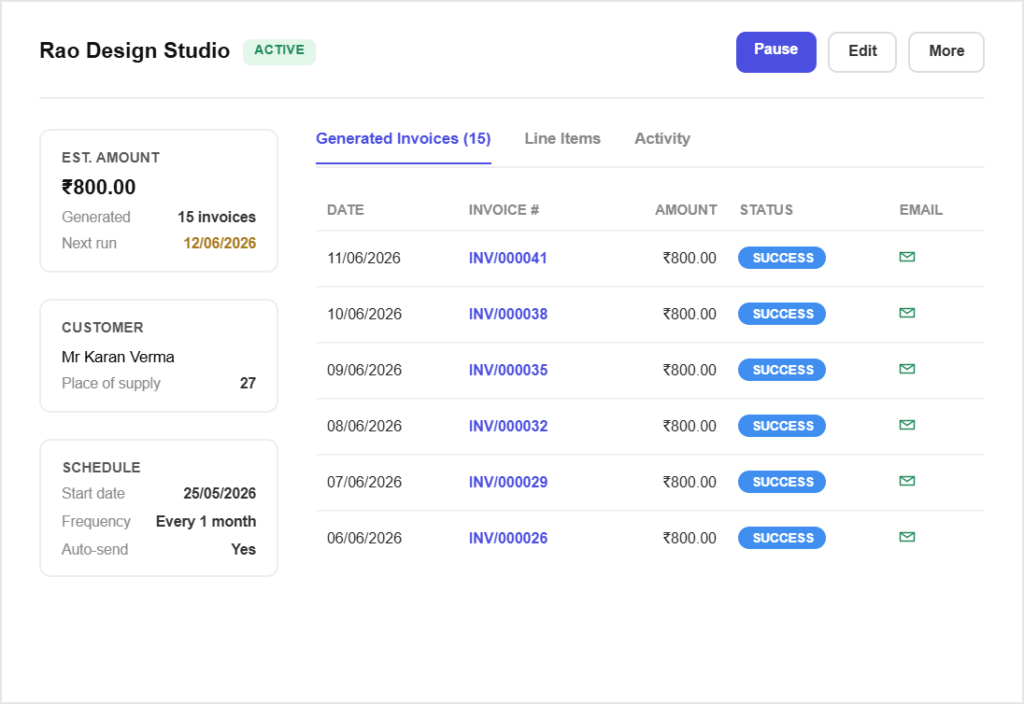
Set a retainer onceTurn a monthly arrangement into a recurring invoice and Pinvoice raises and sends it on schedule without you remembering.
Deposits before you startInvoice part of the value up front and the balance on delivery, both linked to the same job.
All in one place
One platform that goes beyond invoicing
Invoicing is the start. Pinvoice covers the rest of the admin too.
Quotes & estimates
Send quotes and convert approved ones into invoices in one click.
Credit notes
Issue GST-safe credit notes for refunds and adjustments.
Expense tracking
Record business expenses and rebill them to clients.
Items & pricing
Save products with rates, HSN/SAC codes and GST slabs.
Contacts
Keep customer GSTINs, history and balances in one place.
Users & roles
Invite your team and accountant with the right permissions.
Payments
Record UPI, bank transfer, cheque or cash against an invoice and watch the outstanding balance update straight away.
For every kind of business
Invoicing for other kinds of business
However you earn, there is a version of this that fits.
Spend your Sunday on something better
Pinvoice handles the billing so your evenings are yours. Free, forever.
Free foreverNo credit cardCancel anytime
FAQ
Freelancer invoicing questions, answered
Do I need to be GST-registered to use this?
No. You can send plain invoices without any tax on them, which is what most freelancers below the registration threshold need. When you do register, add your GSTIN and start applying tax to new invoices. Nothing you sent before changes.
How do I invoice for hourly or daily work?
Save your rate as an item, then enter the number of hours or days as the quantity on the invoice line. Pinvoice does not track time for you, so use whatever you already use to record hours, then bill them here.
Can I ask for an advance before starting?
Yes. Raise an invoice for the deposit, record the payment when it arrives, then invoice the balance on completion. Both sit against the same client so the job history reads clearly.
What if a client pays late, every time?
The receivables view shows how overdue each invoice is and which clients are consistently slow. That is usually enough to decide whether to ask for a larger advance next time.
Can I charge clients for expenses I paid?
Yes. Record the expense, tag it to the client and mark it billable. Next time you invoice them it is offered for inclusion, at cost or with a markup you set.
Is it really free for freelancers?
Yes. Unlimited invoices, clients and expenses at no cost, with no per-invoice fee and no credit card needed to start.