
Home/Features/Estimates & Quotes
Estimate software that turns quotes into paid work
Send a clear, professional quote while the client is still interested, let them approve it online, and turn it into a GST invoice without typing anything twice. Built for Indian businesses that price jobs before they do them.
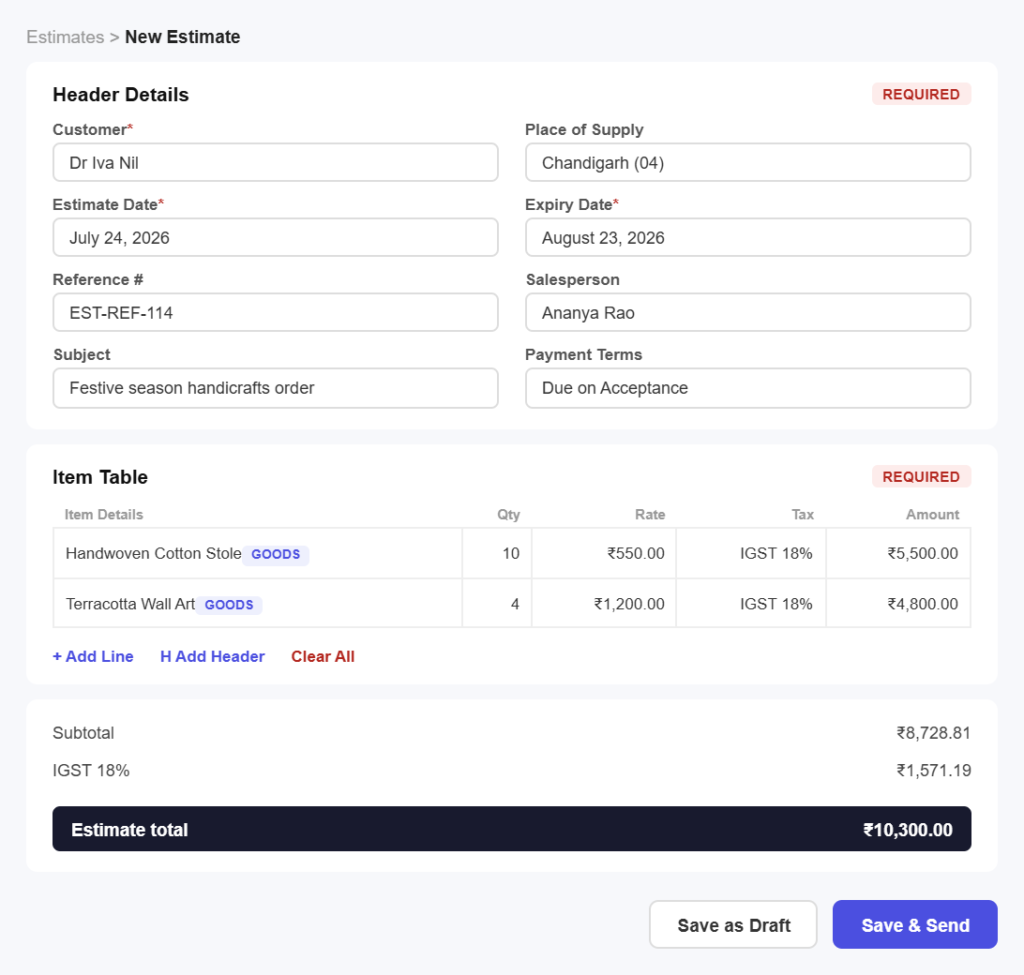
Quote to cash
Win the job in three simple steps
No templates to design and no maths to redo. Get a quote out today.
Step 01
Build the quote
Pick a template, drop in your saved items with their rates and tax codes, and add the terms and validity date that apply to this job.
Step 02
Send for approval
Send the quote by email with a secure link. Your client reviews it and accepts without printing or signing anything.
Step 03
Convert to an invoice
When it is approved, turn the estimate into a GST invoice in one click, with every line, rate and tax carried across.
Estimate features
Everything you need to quote with confidence
Priced and presented properly
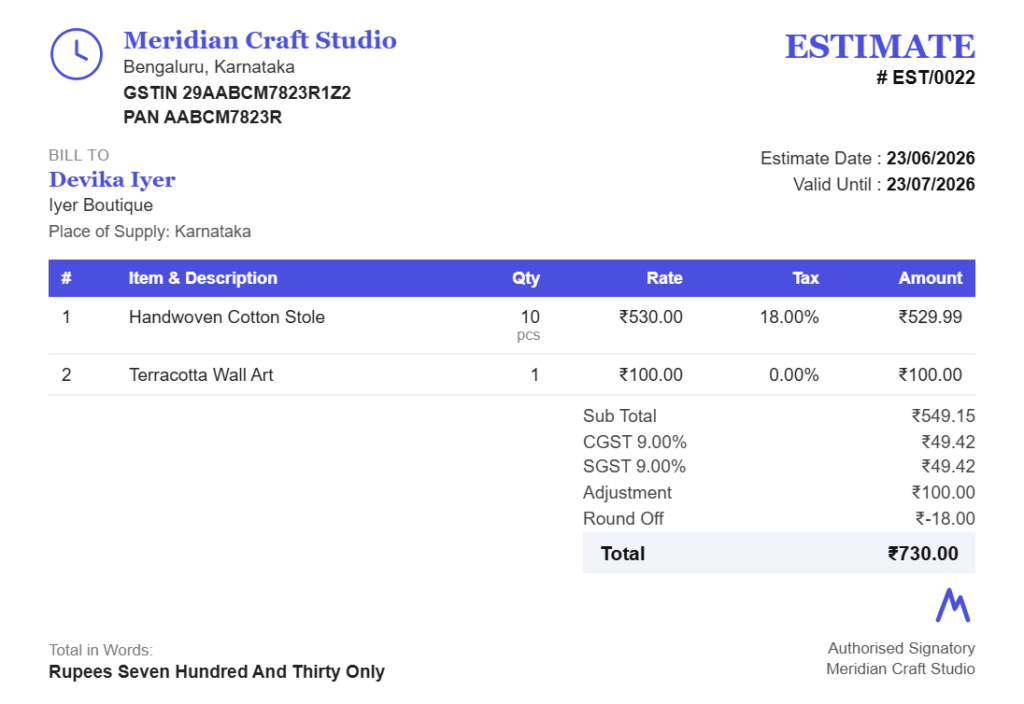
Reusable price listPull items straight from your saved catalogue with fixed rates, HSN and SAC codes and the right GST slab, so quotes are consistent and quick.
Optional lines and discountsOffer good, better and best, or apply a discount to win the job, with totals and tax recalculated as you go.
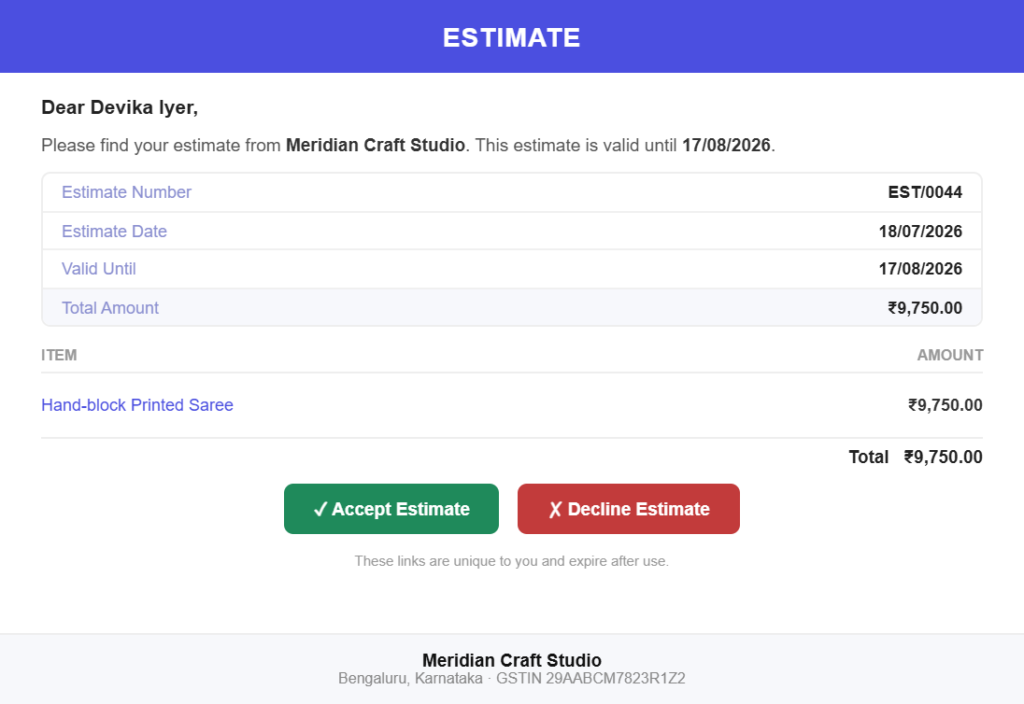
Approved online, on the record
Accept or decline onlineClients respond from the link on any device, and the quote status updates the moment they do, so you are never guessing.
Dated and timestampedApproval is recorded against the quote, giving you something to point to if the scope is questioned later.
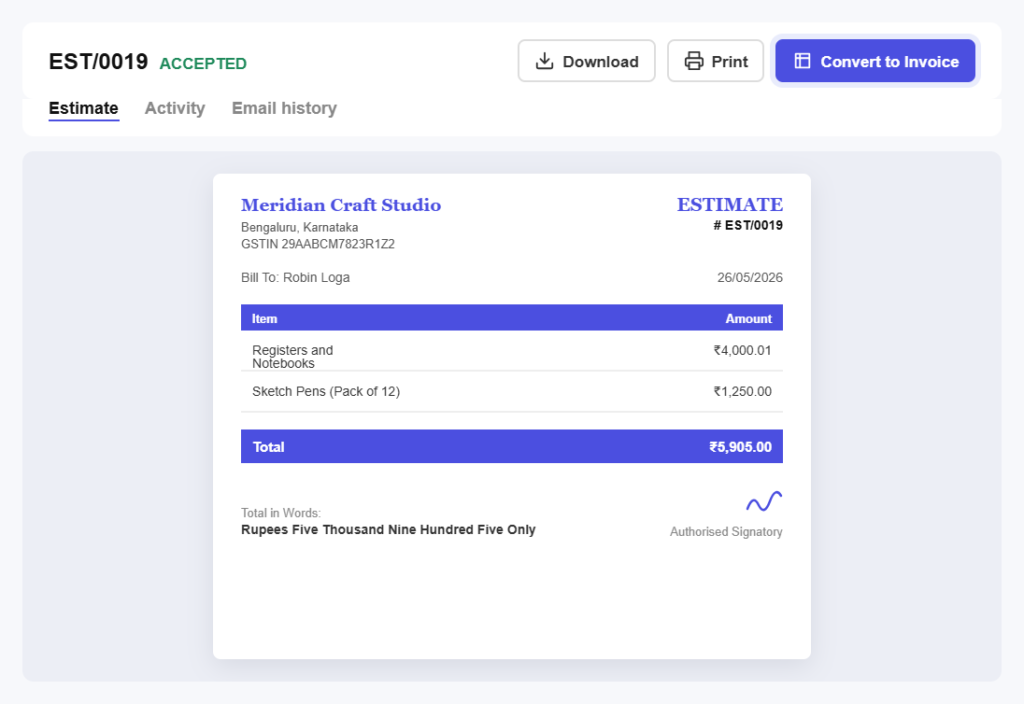
One click to invoice
Nothing typed twiceConverting an approved quote carries every line, rate, tax and note across, so the invoice matches what was agreed.
Deposits and part-billingInvoice a deposit up front and the balance on completion, both traceable back to the original estimate.
Follow up without nagging
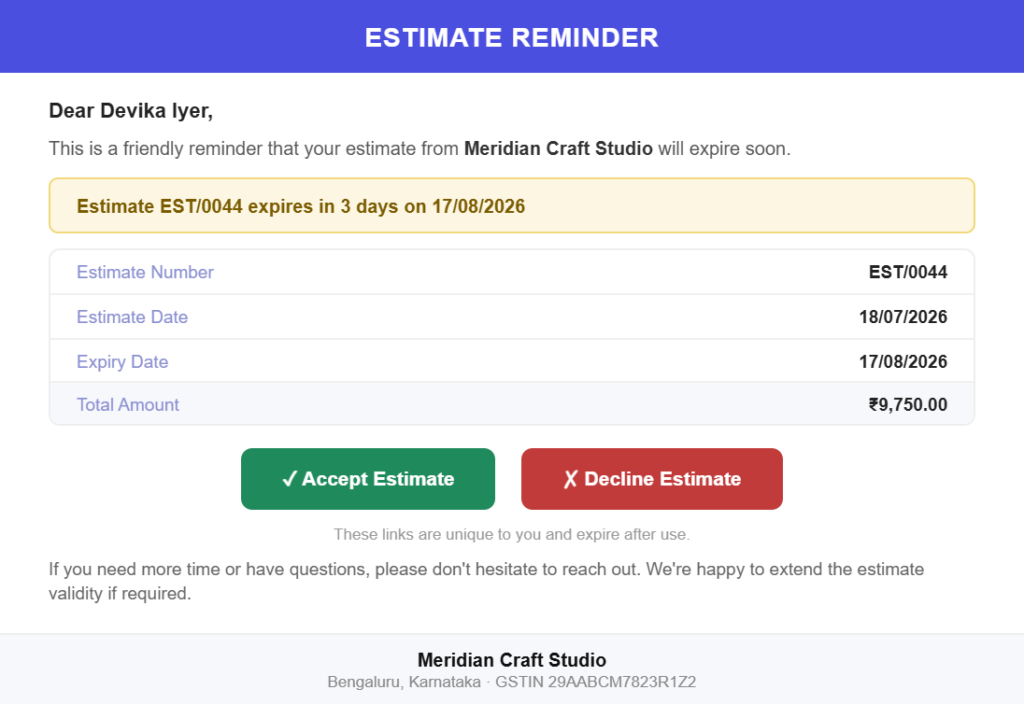
Automatic remindersNudge clients before a quote expires so warm work does not go cold while you are busy on site.
See what is still openFilter quotes by draft, sent, accepted, declined or expired and know exactly what your pipeline is worth.
Revise without confusion
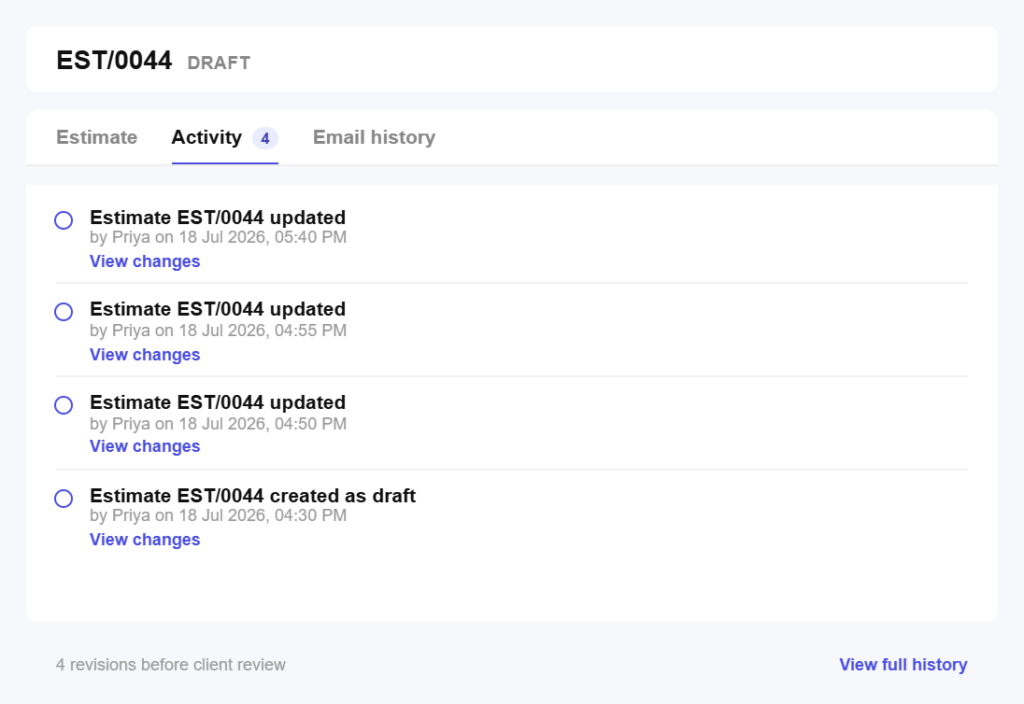
Version history you can trustRe-quote after a scope change and keep the earlier version on file, so both sides know which one was agreed.
Notes that surviveRecord assumptions, exclusions and validity terms on the quote itself instead of buried in an email thread.
Share it the way clients read
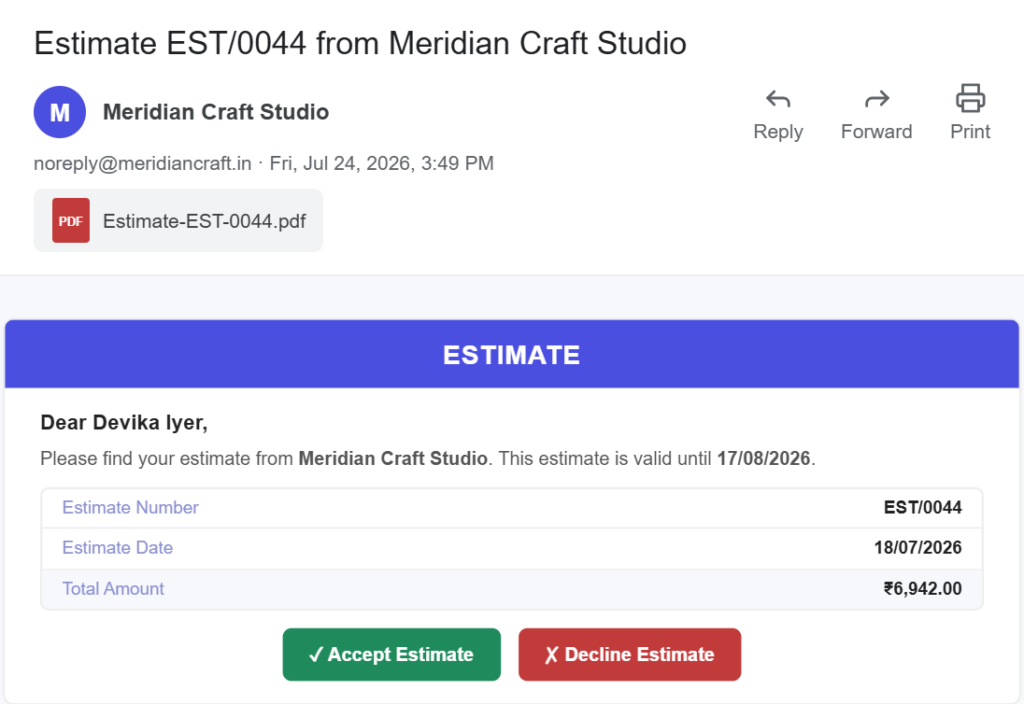
Email in one tapDeliver a polished PDF the way your clients already communicate, with a link they can open on any device.
Print for site visitsProduce a clean printed quote for walk-in customers and in-person pitches when a paper copy still wins the job.
All in one place
One platform that goes beyond estimates
Estimates are where the money starts. Pinvoice brings your whole billing workflow together.
Quotes & estimates
Send quotes and convert approved ones into invoices in one click.
Credit notes
Issue GST-safe credit notes for refunds and adjustments.
Expense tracking
Record business expenses and rebill them to clients.
Items & pricing
Save products with rates, HSN/SAC codes and GST slabs.
Contacts
Keep customer GSTINs, history and balances in one place.
Users & roles
Invite your team and accountant with the right permissions.
Payments
Record UPI, bank transfer, cheque or cash against an invoice and watch the outstanding balance update straight away.
For every kind of business
Estimates for your line of work
Every trade quotes differently, by the hour, the job or the milestone. Pinvoice fits yours.
Stop losing work to slow quotes
From fast, professional quotes to one-click invoicing, Pinvoice helps you win more work, free, forever. Create your account today.
Free foreverNo credit cardCancel anytime
FAQ
Estimate questions, answered
What is the difference between an estimate and an invoice?
An estimate, sometimes called a quote or proforma, tells a customer what a job will cost before you do it. It is not a demand for payment. An invoice is issued after the work is agreed or done and is the document the customer pays against. In Pinvoice an approved estimate becomes an invoice in one click.
Can clients accept a quote online?
Yes. Send the estimate by email and your client opens a secure link on any device to accept or decline. The status updates on your side immediately, so you know where every quote stands without chasing.
Does a quote need GST on it?
If you are GST-registered, showing the tax on a quote avoids arguments later, because the customer sees the full amount payable up front. Pinvoice applies the correct slab per item and carries it into the invoice when the quote is approved.
Can I change a quote after sending it?
Yes. Revise the estimate and send the updated version. The earlier version stays on file so both you and the client can see what changed, which matters when scope grows mid-project.
Can I take a deposit against an approved quote?
Yes. Invoice part of the value up front and the balance later. Both invoices stay linked to the original estimate, so the job history reads clearly from quote to final payment.
Is estimate software free?
Yes. Quotes and estimates are included in Pinvoice at no cost, with no limit on how many you send and no credit card required to start.