
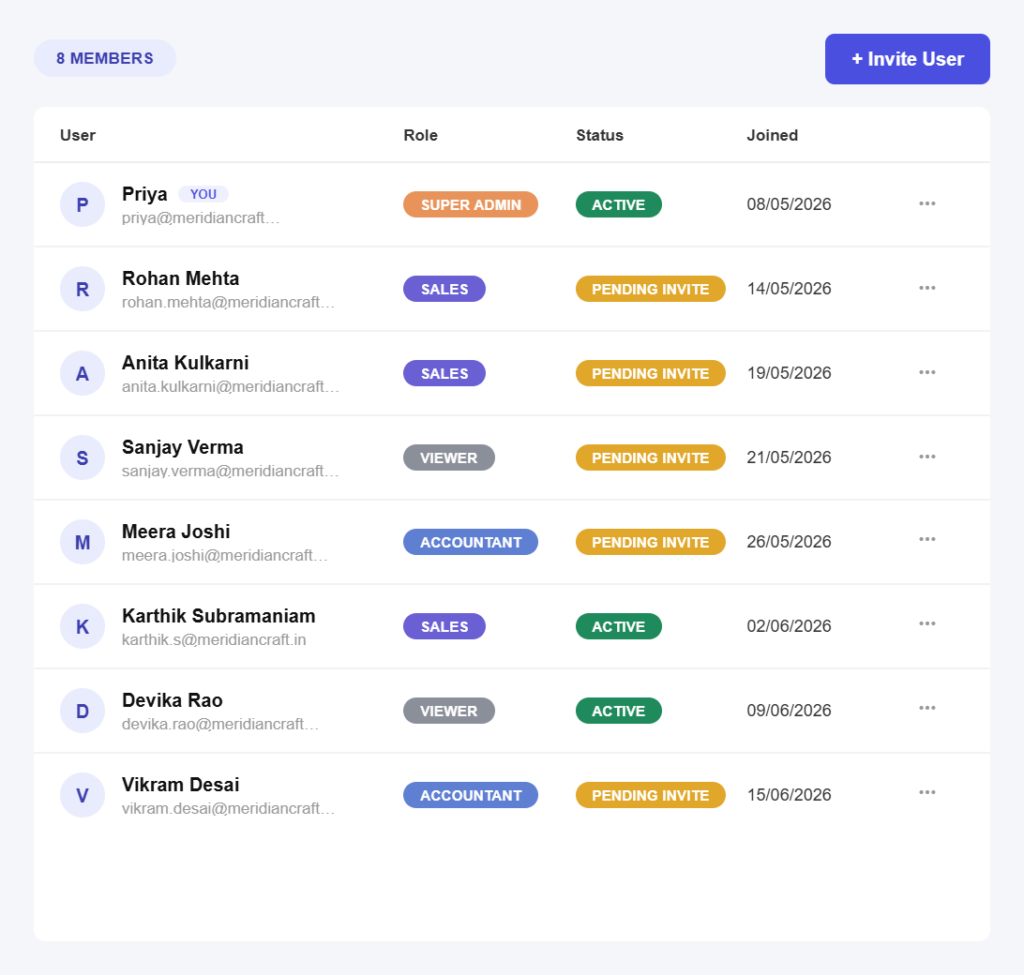
Controlled from day one
Get someone working in three simple steps
No setup project. Invite someone and pick a role in under a minute.
Step 01
Invite the person
Send an invitation by email. They set their own password, so no one is sharing a login or passing credentials around.
Step 02
Choose a role
Pick from ready-made roles for accountants, admins, sales and staff, each with sensible permissions already applied.
Step 03
Adjust if needed
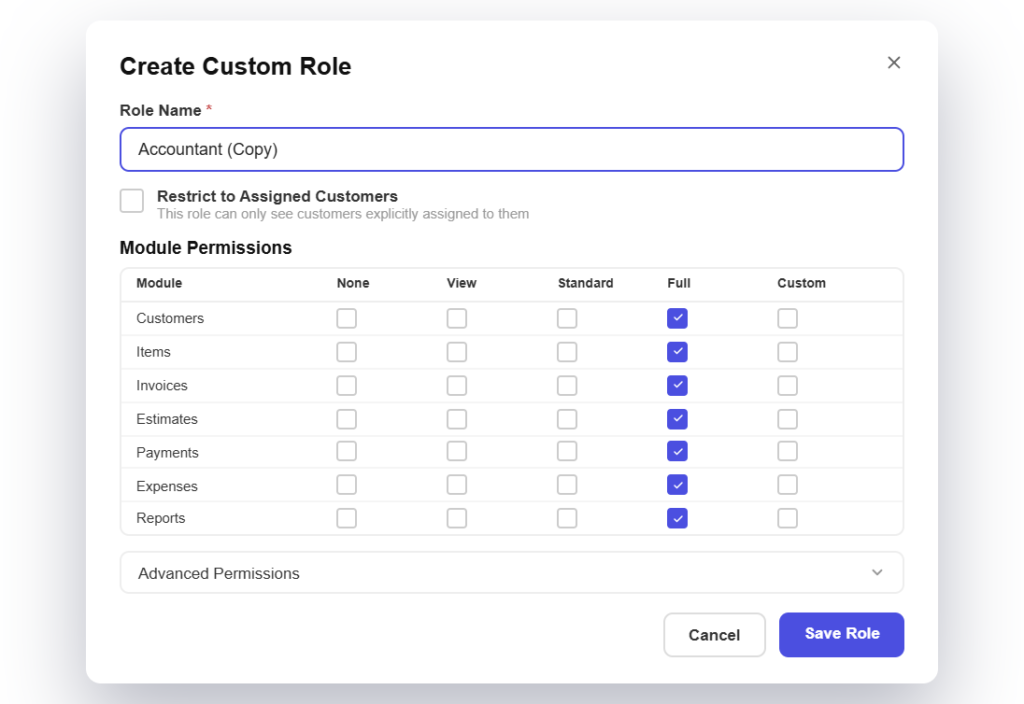
If none of them fit, clone the closest role and adjust it until it matches how your business actually works.
Access features
Everything you need to control who sees what
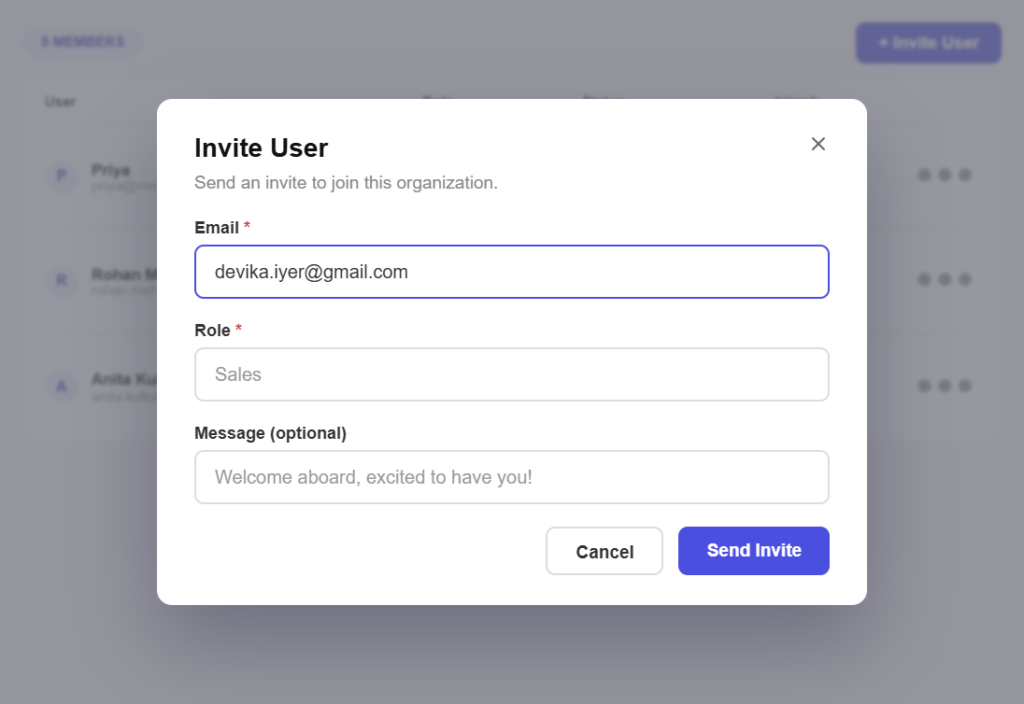
Roles that already fit
Built for the usual jobsAccountant, Admin, Sales and Staff roles come ready to use, so most teams never have to design permissions from scratch.
System roles stay safeThe built-in roles cannot be edited by accident, which means nobody can quietly widen their own access.
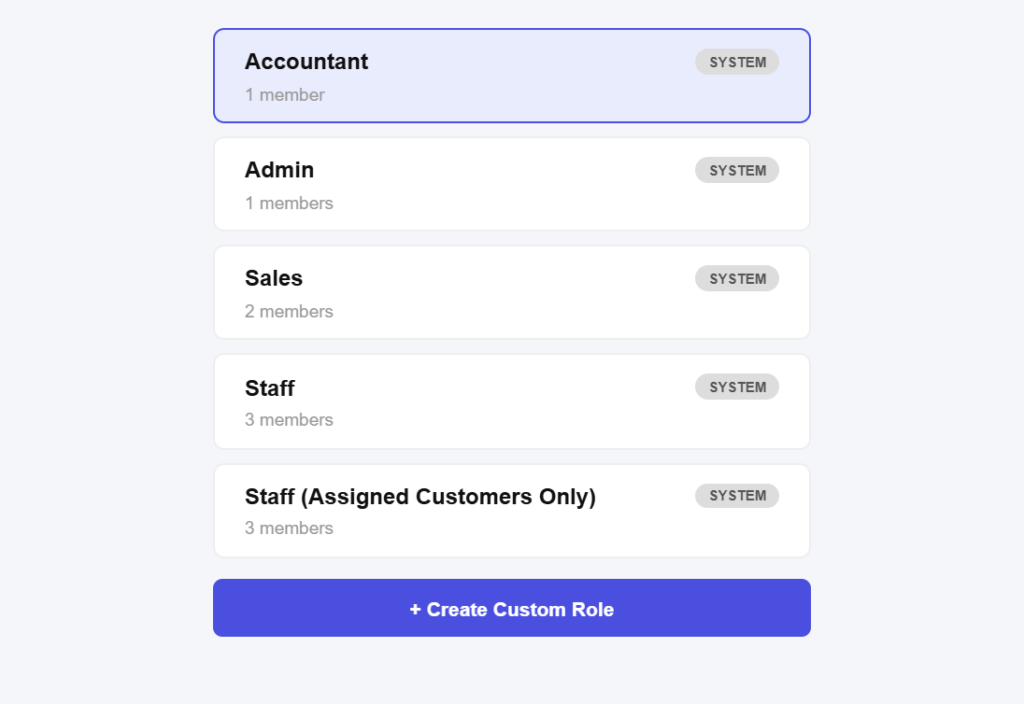
Permissions module by module
View, create, edit and deleteSet each permission separately across customers, items, invoices, estimates, payments, expenses and reports.
Read-only where it belongsLet someone see invoices without letting them change or delete one, which is usually what you actually want.
Clone instead of compromise
Start from the closest fitClone a system role and adjust it, rather than building a custom role from nothing and missing something important.
As many roles as you needCreate separate roles for a junior biller, a project lead and an external accountant, each with only what the job requires.
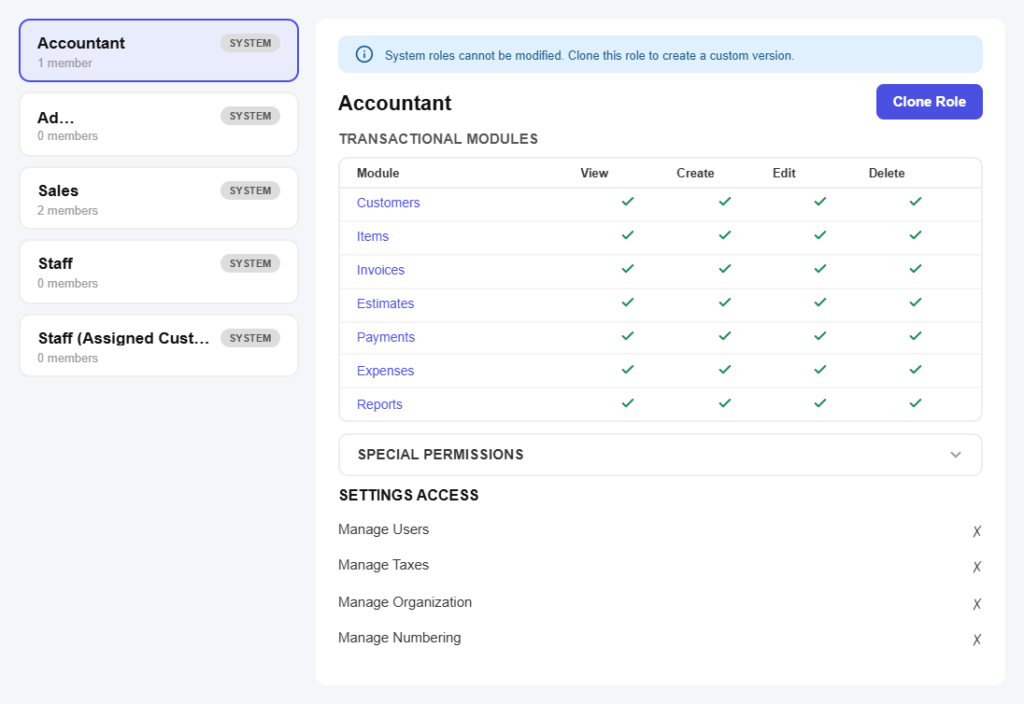
Settings kept separate
Books and settings are different thingsManaging users, taxes, organisation details and invoice numbering are controlled separately from day-to-day billing.
Numbering left aloneInvoice numbering is one of the easiest things to break and hardest to unpick, so access to it is a deliberate decision.
Limit who sees which customers
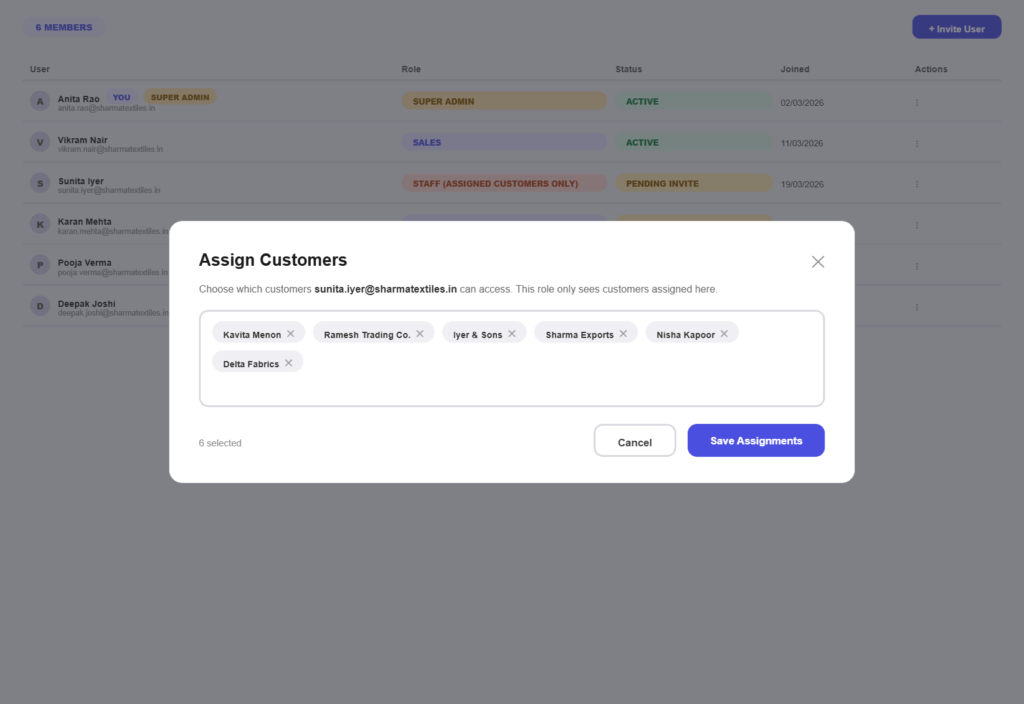
Scope people to their accountsRestrict a staff member to only the customers assigned to them, so a salesperson sees their own book and nothing else.
Client confidentiality keptWhere clients expect discretion, limiting visibility is a policy you can point to rather than a promise.
Safe to hand over
Give your CA the right accessInvite your accountant with the access they need to work and nothing more, instead of emailing exports at year end.
Remove access cleanlyWhen someone leaves, revoke their account. Everything they created stays on record, attributed to them.
All in one place
One platform that goes beyond user access
Access control protects everything else. Pinvoice brings your whole billing workflow together.
Quotes & estimates
Send quotes and convert approved ones into invoices in one click.
Credit notes
Issue GST-safe credit notes for refunds and adjustments.
Expense tracking
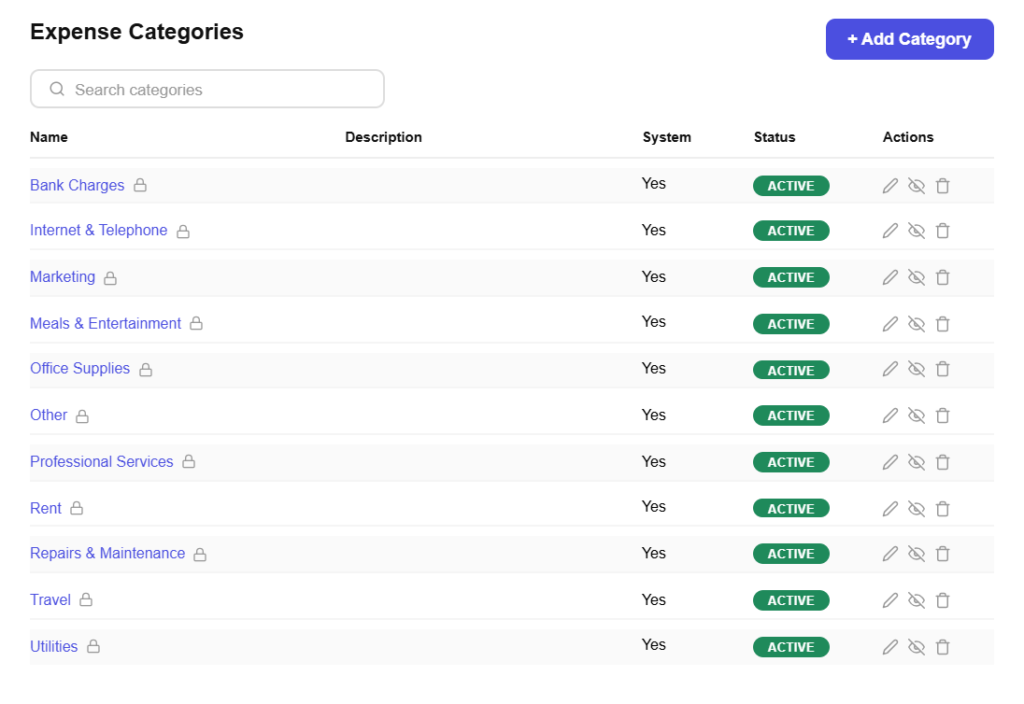
Record business expenses and rebill them to clients.
Items & pricing
Save products with rates, HSN/SAC codes and GST slabs.
Contacts
Keep customer GSTINs, history and balances in one place.
Users & roles
Invite your team and accountant with the right permissions.
Payments
Record UPI, bank transfer, cheque or cash against an invoice and watch the outstanding balance update straight away.
For every kind of business
Team access for your line of work
A two-person studio and a twenty-person agency need different boundaries. Pinvoice fits yours.
Stop sharing one login with everyone
From ready-made roles to permissions you set line by line, Pinvoice keeps your books safe as the team grows, free, forever. Create your account today.
Free foreverNo credit cardCancel anytime
FAQ
Access questions, answered
What roles come with Pinvoice?
Accountant, Admin, Sales, Staff and a Staff variant limited to assigned customers only. Each arrives with permissions already set for that kind of job, so most businesses can invite someone and pick a role without configuring anything.
Can I change what a built-in role can do?
System roles cannot be edited directly, which protects you from someone widening their own access. Instead, clone the role that is closest to what you need and adjust the copy. Your custom role then sits alongside the originals.
How detailed do permissions get?
You set view, create, edit and delete separately for each module, covering customers, items, invoices, estimates, payments, expenses and reports. So you can let someone raise an invoice but not delete one, or read reports without touching anything.
Can I stop a staff member seeing every customer?
Yes. The assigned-customers-only role limits a person to the accounts given to them. That suits sales teams with their own books, and any business where client information should not be visible to everyone.
Should my accountant have a login?
It is usually better than emailing exports. Invite them with accountant access so they can work with live data and pull what they need at filing time, while settings like invoice numbering and organisation details stay under your control.
Is team access free?
Yes. Users, roles and permissions are included in Pinvoice at no cost, with no per-seat fee and no credit card needed to start.